Free Shot List Template (Excel/Google Sheets) + How to Make a Shot List
-

Lavkush Gupta
-
Nov 29, 2026
-
23
A shot list is a scene-by-scene, shot-by-shot plan of every camera setup needed for a film, ad or video. It records each shot's size, angle, movement, lens, equipment, action and cast, so the director, DOP and crew all know exactly what to shoot and in what order. Download our free shot list template below, then follow the step-by-step guide to fill it in.
⬇ Download the free shot list template (.xlsx). It works in Excel, Google Sheets, Numbers and LibreOffice, with dropdown menus for shot size, angle and movement. No sign-up needed.
What's in the template
- Header: production title, director, DOP, shoot day and location
- 12 planning columns: Scene, Shot #, Shot Size, Angle, Movement, Lens, Equipment, Description/Action, Cast, Estimated Time, Done, Notes
- Dropdown menus for shot sizes (EWS to ECU, OTS, POV, Insert), angles (eye level, high, low, overhead, Dutch) and camera movements (pan, tilt, dolly, tracking, gimbal, drone…)
- 3 example rows showing a real scene broken into shots
- A "Shot Types Key" tab: a cheat sheet of what each shot is used for
Why you need a shot list
- It saves time on set. Time is the most expensive thing in production. A shot list stops the crew waiting while the director decides.
- It keeps the team aligned. The DOP, gaffer, grips and ADs can prepare lenses, lights and equipment in advance.
- It protects the edit. You won't wrap a location and discover you never got the close-up you need.
- It enables scheduling. The 1st AD uses shot counts and estimated times to build the day and the call sheet.
Shot list vs storyboard vs shooting schedule
| Document | Format | Purpose |
|---|---|---|
| Shot list | Table / spreadsheet | Every shot's technical details, used to plan and track the shoot |
| Storyboard | Drawings or frames | Shows visually what each shot will look like |
| Shooting schedule | Day-by-day plan | Which scenes and shots happen on which day |
| Call sheet | One day's document | Who must be where, when, for that day |
Many indie productions use a shot list without a full storyboard. On complex action, VFX or ad shoots, they're used together.
How to make a shot list: step by step
- Break down the script. Read each scene and mark the key story beats: what the audience must see and feel.
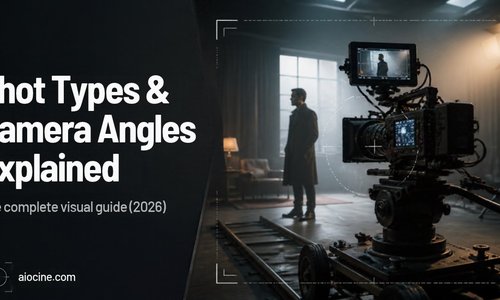
- Decide your coverage. For each scene, choose a master (usually wide) and the mediums, close-ups and inserts you need. Not sure which shot does what? Read our complete guide to shot types and camera angles.
- Number your shots. Use scene number + letter: 12A, 12B, 12C. This matches slates and makes editing easier.
- Fill in the technical columns. Choose shot size, angle and movement from the dropdowns, then add lens and equipment (tripod, dolly, gimbal, slider, drone).
- Describe the action. One clear line: "Arjun reads the letter, hands trembling."
- List the cast in the shot. This helps the AD schedule actors and makeup.
- Estimate the time. Be honest. Lighting changes and moves take longer than you think.
- Reorder for shooting. Group shots by camera direction and lighting setup, not story order, to minimise relights. Shoot all shots facing one way, then turn around.
- Share and review with your DOP and 1st AD, then print a copy for set and tick "Done" as you go.
Shot list example
| Scene | Shot | Size | Angle | Movement | Lens | Description | Cast |
|---|---|---|---|---|---|---|---|
| 12 | 12A | Wide | Eye level | Static | 24mm | Establish café, Riya enters | 1 |
| 12 | 12B | Medium | Eye level | Slow push-in | 35mm | Riya sits opposite Arjun | 1, 2 |
| 12 | 12C | OTS on Riya | Eye level | Static | 50mm | Arjun's dialogue | 1, 2 |
| 12 | 12D | OTS on Arjun | Eye level | Static | 50mm | Riya's dialogue | 1, 2 |
| 12 | 12E | Close-up | Slight low | Static | 85mm | Arjun reads the letter | 2 |
| 12 | 12F | Insert | Overhead | Static | 100mm macro | The letter: "I know what you did" | - |
Shot list tips from working DOPs and ADs
- Prioritise. Mark "must-have" shots so that if you run out of time, you know what to drop.
- Plan the master first. Shoot the wide master early, so lighting and blocking are set for the tighter shots.
- Combine setups. Can one moving shot replace three static ones? It may save an hour.
- Allow buffer time. Add about 20% to your estimates for the unexpected.
- Keep it living. Update the shot list after each day so the next day's plan reflects reality.
- For vertical formats, note the frame ratio (9:16) in the header and plan more close-ups. See our vertical drama guide.
Common shot list mistakes
- Listing shots in story order instead of shooting order, which causes endless relighting
- Too many shots for the time available, so the day runs over and you miss shots
- No inserts or cutaways, which leaves the editor stuck
- Vague descriptions ("CU of guy") instead of specific actions
- Not sharing it with the crew, which makes it useless
Find the crew to shoot it
A great shot list needs a great camera team. Post a crew call on AIO Cine to hire DOPs, camera operators, focus pullers, gaffers and grips, or create a free profile to get hired yourself.
Frequently asked questions
What is a shot list?
A shot list is a detailed plan of every shot needed for a production, listing each shot's number, size, angle, movement, lens, equipment, action and cast.
Who makes the shot list?
The director and the director of photography (DOP) create it together, usually with input from the 1st AD for scheduling.
Is this shot list template free?
Yes. The AIO Cine shot list template is free to download and edit in Excel, Google Sheets, Numbers or LibreOffice.
What is the difference between a shot list and a storyboard?
A shot list is a written table of technical shot details, while a storyboard is a series of drawings showing what each shot looks like. Many productions use both.
How do you number shots in a shot list?
The most common system is the scene number plus a letter for each shot, such as 12A, 12B and 12C, which matches the slate and the edit.
How many shots can you film in a day?
It depends on complexity, crew size and lighting changes. Simple setups move fast, while big lighting or movement setups take much longer. Estimate time per shot and add a buffer.
Related Blog Posts